On-Call Management. Respond Faster and Cut MTTR.
On-call scheduling, escalation policies and alert routing, built into OpenObserve for SRE and DevOps teams.

Respond in Minutes
The right engineer is paged where they work and acknowledges in one click.

Automate the Urgent Steps
Escalations, team updates and the incident timeline run on their own.

Stay Focused on the Fix
Logs, traces and the root cause sit next to the page, not in another tool.
From Page to Root Cause Without Leaving Slack
The on-call engineer gets the alert as a direct message, with the buttons to act on it.
Escalation stops on the spot. Nobody else is woken for a page that's handled.
Investigate hands the alert to the AI agent, which posts the root cause in the thread.
Plain-English questions, answered from your live logs, metrics and traces.
On-Call Your Team Won't Dread
24/7 Coverage Without Burnout
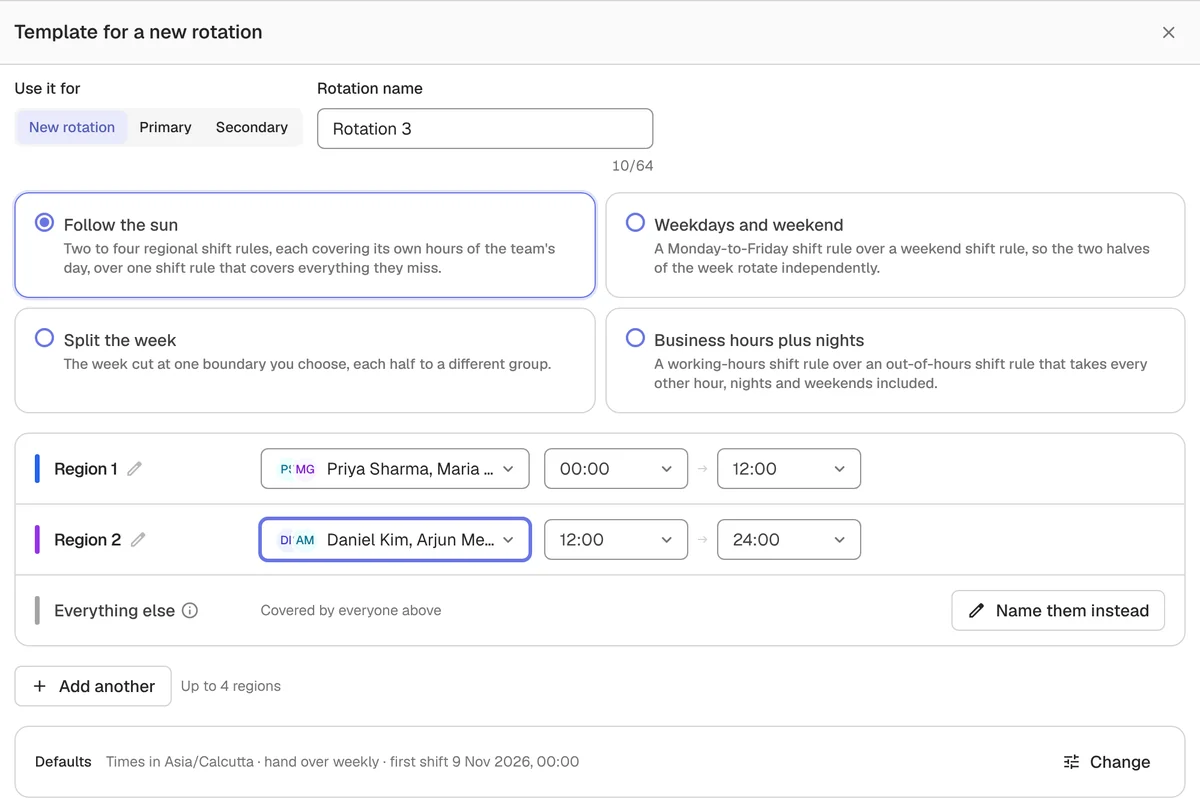
Fair rotations, follow-the-sun shifts and easy covers, so nobody carries every night.
Schedules From Templates
Start from follow the sun, weekday and weekend, or business hours, then add shift rules for the exceptions.
Covers, Swaps and Time Away
Swap a shift or ask for cover in a few clicks. Mark someone away once and it applies across every team they're on.
Never Miss a Critical Alert
Escalation keeps paging by Slack, text or phone until someone answers.
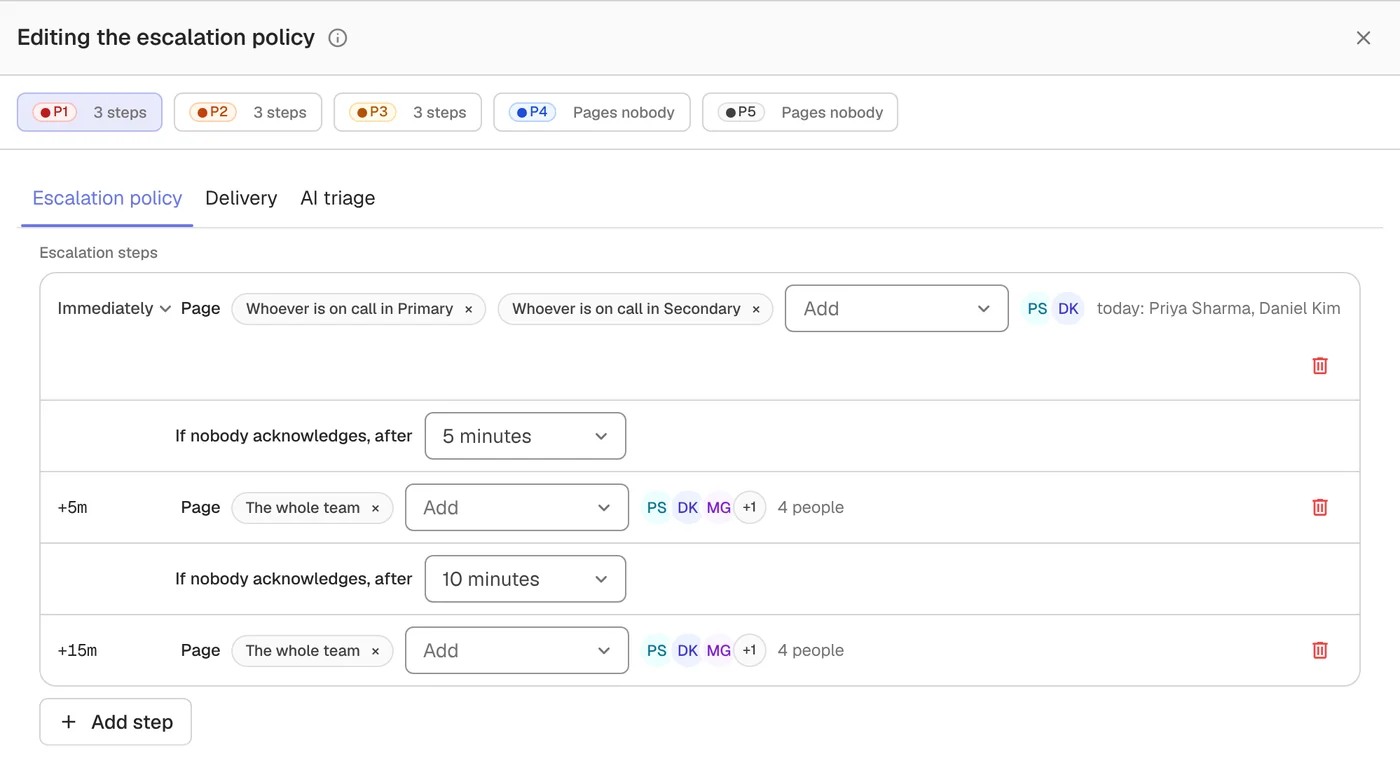
Escalation Policies per Priority
Decide who is paged for P1 through P5 and how long each level waits before the next one is paged.
Every Channel at Once
Each level is paged by Slack, email, SMS and voice call in parallel, and failed deliveries are retried.
The Right Team, Every Time
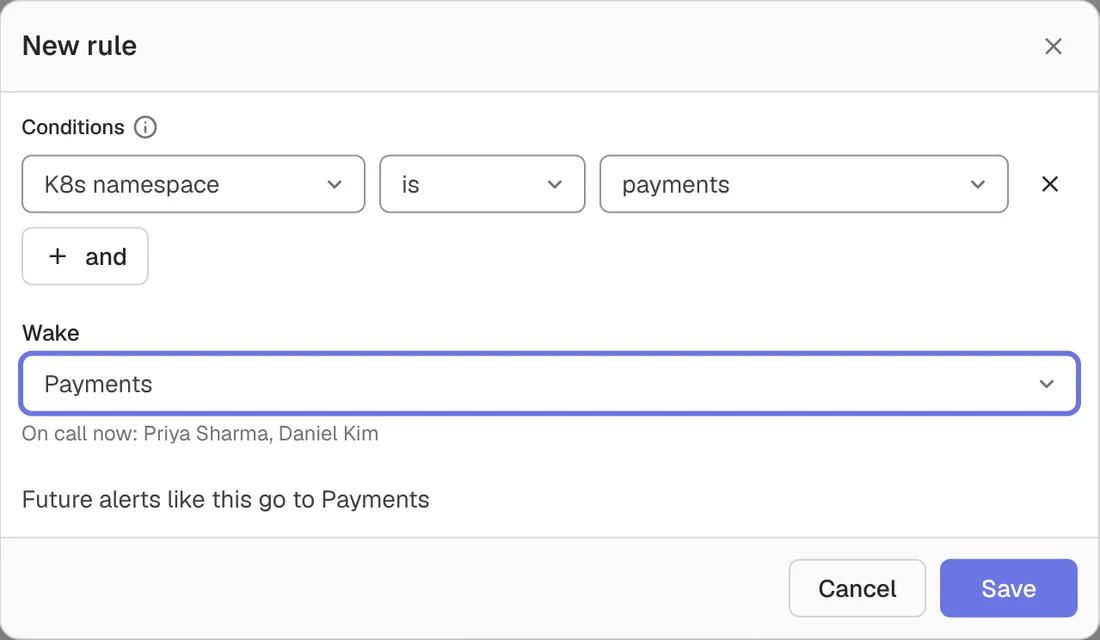
Alerts go to the team that owns the service, so nobody triages someone else's page.
Route on Real Telemetry
Routing rules match the fields your alerts already carry, such as Kubernetes namespace, cluster, service or host. The most specific rule wins.
Nothing Falls Through
Alerts no rule matches land in Unrouted, where a team can claim them and turn them into a rule.
Learn From Every Incident
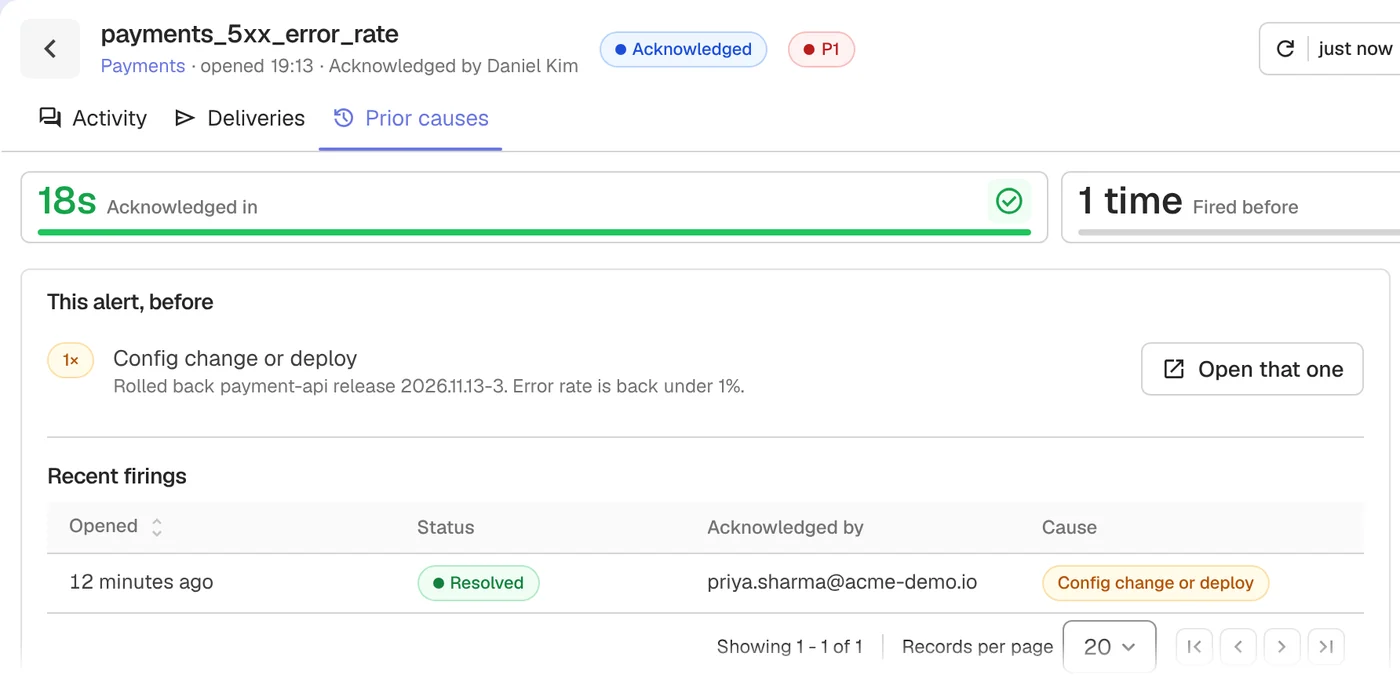
Each page keeps its timeline and cause, so the next responder starts with what worked.
Prior Causes on Repeat Pages
When an alert fires again, the responder sees what caused it last time and the note that came with the fix.
Close Pages With a Cause
Resolve each page with its cause, and keep its timeline and delivery history for the post-incident review.
Frequently Asked Questions
Keep Exploring



Page the Right Person Before Customers Notice
Schedule rotations, set escalation policies and route alerts in the platform that already runs them.