





“OpenObserve helped us migrate from Datadog in under an hour... reducing observability costs by 4x.”

4x
Lower observability cost

< 1 hour
Migrated off Datadog

Flat pricing
No month-end surprises
Cloud Logging routes straight into OpenObserve over Pub/Sub. Nothing to install, nothing to patch.
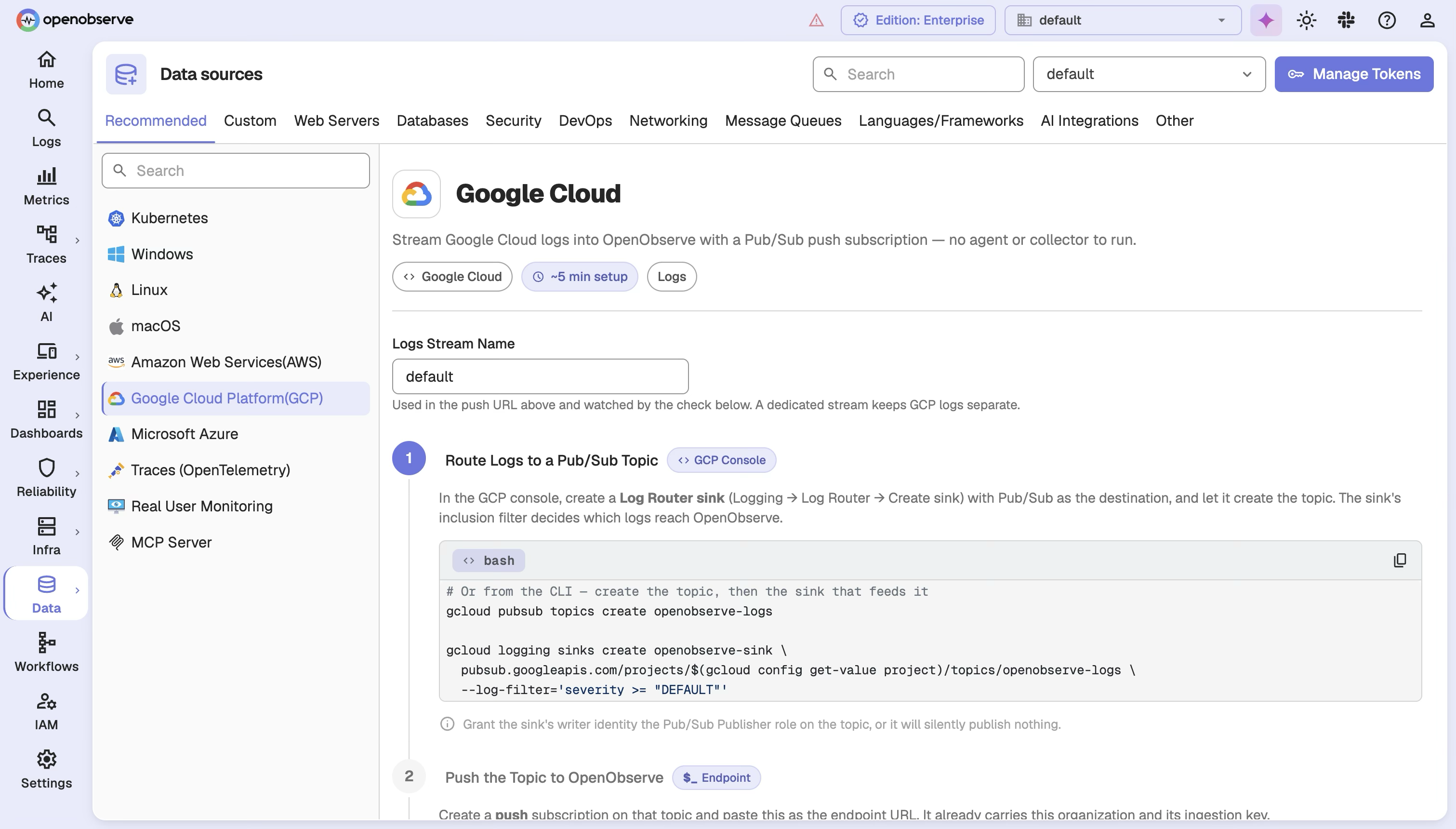
Stream Google Cloud logs in with a Pub/Sub push subscription - no agent or collector to run.
gcloud pubsub topics create openobserve-logsgcloud logging sinks create openobserve-sink \ pubsub.googleapis.com/projects/$PROJECT \ --log-filter='severity >= "DEFAULT"'
Grant the sink's writer identity the Pub/Sub Publisher role, or it publishes nothing.
Create a push subscription and paste this as the endpoint URL. It already carries this org and its ingestion key.
https://api.openobserve.ai/gcp/<org-id> /default/_sub?API-Key=••••••••••••
A Log Router sink and a push subscription. Nothing runs in your projects.
Connect your Google Cloud estate in minutes. OpenObserve ingests directly from the services you already run - no agents, no custom glue code.











Compute Engine, Cloud Run, Cloud Functions, and Cloud SQL in one platform.
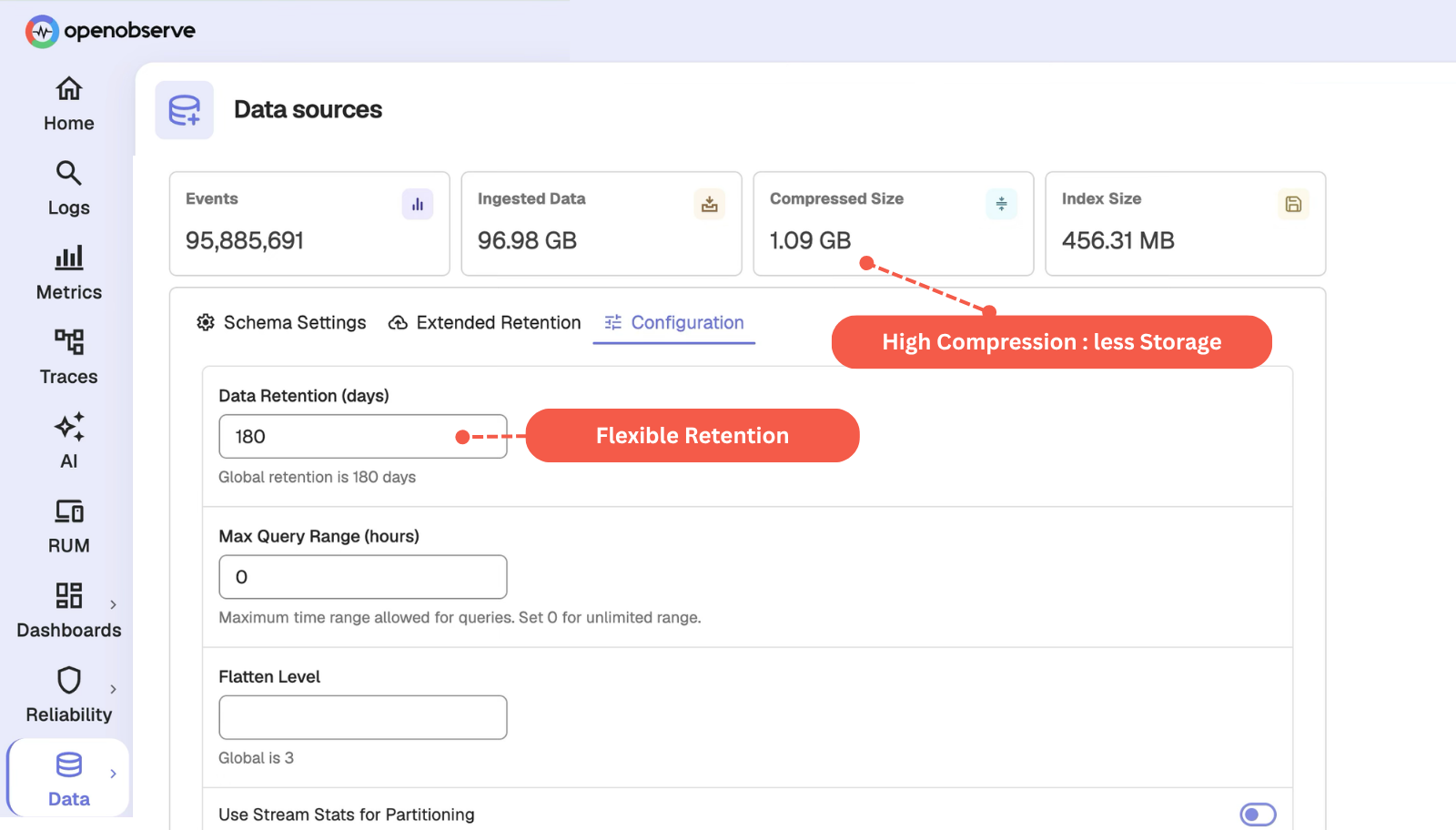
Cut GCP storage costs with columnar compression and configurable retention.
Export through Cloud Logging to Pub/Sub or the OpenTelemetry Collector, no agent to run or patch.
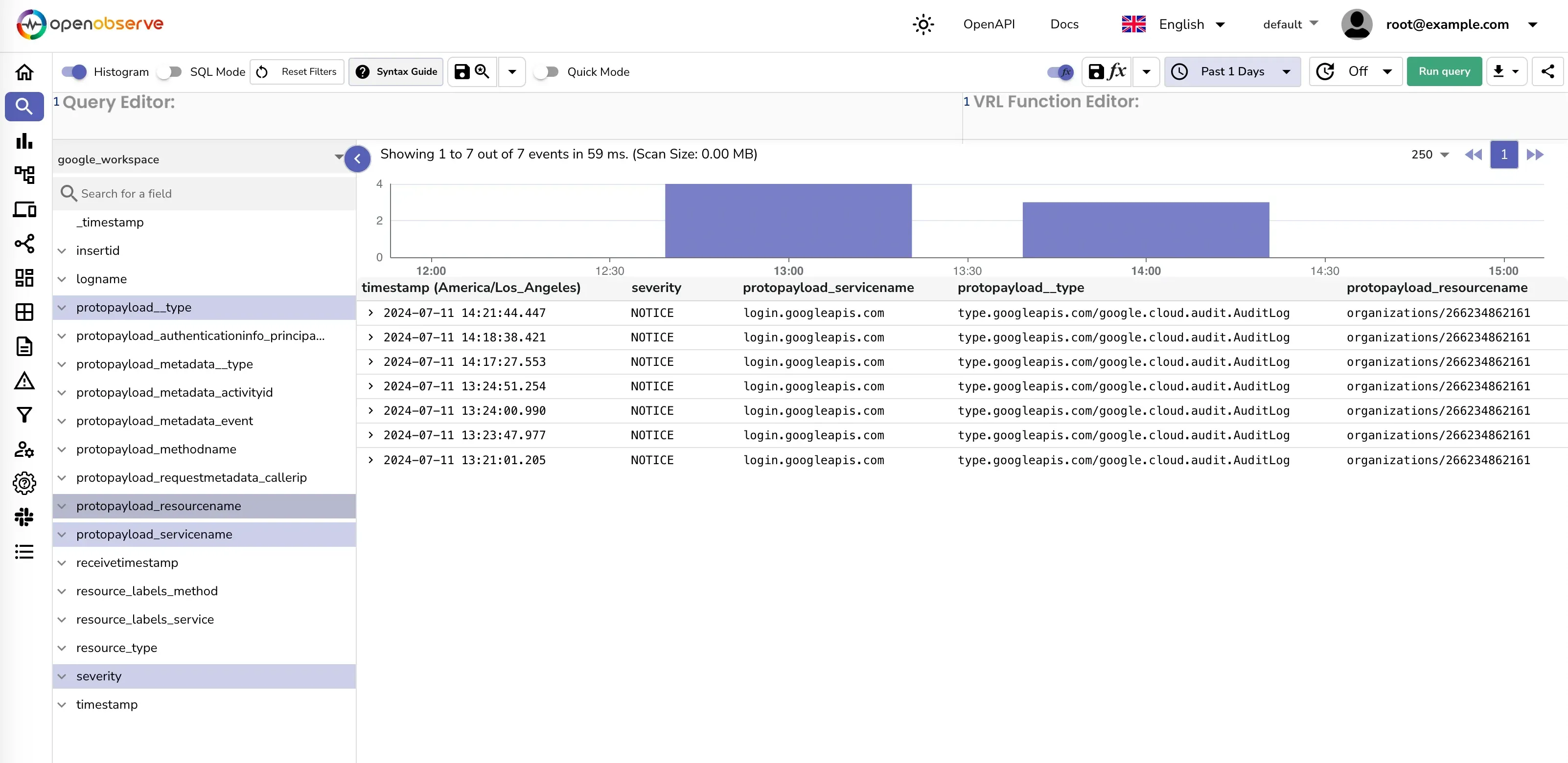
Get GCP logs without deploying an agent. Cloud Logging exports audit logs, VPC flow logs, and application logs to Pub/Sub through one pipeline.
Monitor GCP and custom application metrics without separate tooling. Cloud Monitoring export covers both out of the box.
Start monitoring Compute Engine, Cloud Run, Cloud Functions, and Cloud SQL with dashboards and alerts already built in.
Catch resource and service health problems in real time instead of after the fact, across your whole GCP environment.
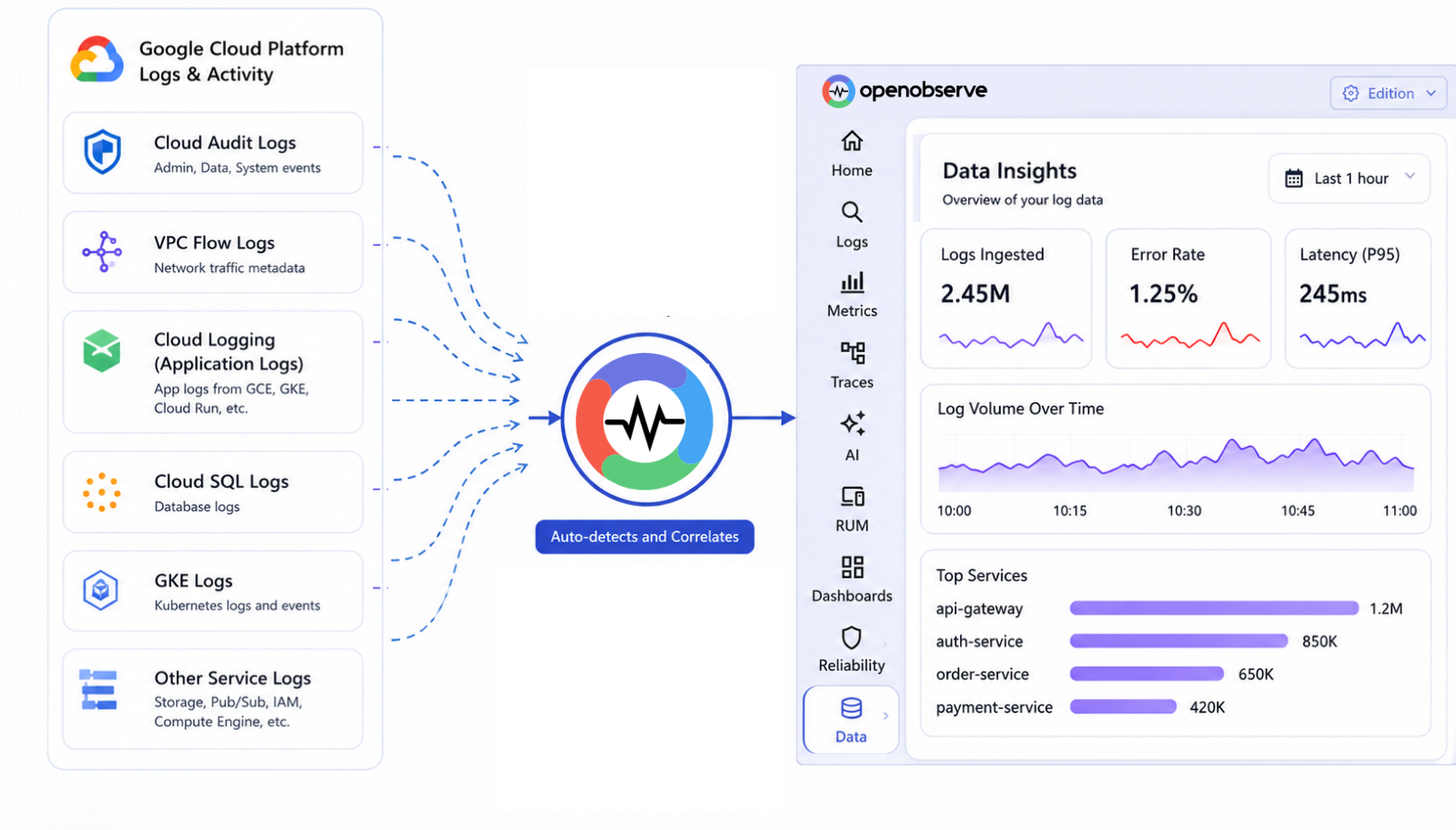
Skip writing custom parsers for GCP log formats. Built-in processors handle standard and custom log structures automatically.
Analyze logs and metrics without learning a new query language. Standard SQL handles aggregations and time-series analysis.
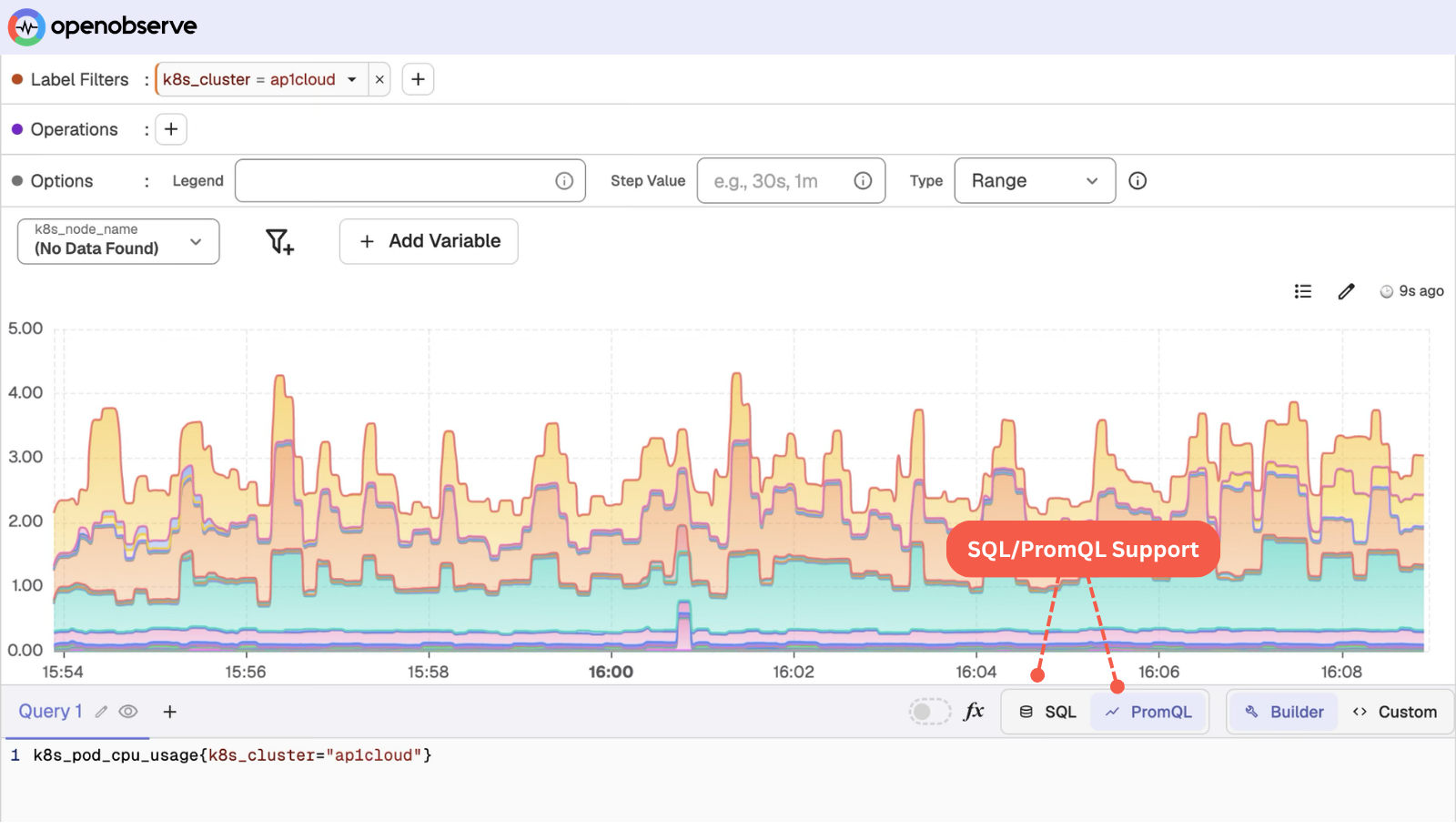
Plan capacity with confidence instead of guessing. Detailed compute metrics show exactly where usage is headed.
Control GCP telemetry costs without losing access to the data you need. Configure retention and compression to fit your budget.
Same telemetry, same workloads, one platform. Every number is OpenObserve against a named vendor - not an industry average.
vs. Datadog
8×
more cost-effective
8x cost reduction means you can unify your observability into a single platform.
vs. Elastic
140×
storage efficiency
140x storage means longer retention doesn't necessarily mean expensive bills.
vs. Grafana stack
5–15×
faster performance
5x to 15x faster queries mean dashboards load in milliseconds, not minutes.
See how much you'd save switching today.
Correlate between the environments and signals across various sources with OpenObserve built-in correlation engine.
“OpenObserve helped us migrate from Datadog in under an hour... reducing observability costs by 4x.”
4x
Lower observability cost
< 1 hour
Migrated off Datadog
Flat pricing
No month-end surprises
From zero to GCP dashboards in minutes - no agents to babysit, no pipelines to wire by hand.
See the guideSpin up a in the region closest to you.
Point Cloud Logging or Pub/Sub at OpenObserve and load prebuilt GCP dashboards in a couple of clicks.
Watch logs, metrics, and traces stream in - correlated and query-ready from the first event.
to help you get the most out of Google Cloud monitoring.
Monitor every GCP service you run with prebuilt dashboards, metrics, and alerting rules. Pick the plan that fits your team.
Self-hosted Enterprise, free up to 50GB. Advanced features for growing teams.
Fully managed OpenObserve in the cloud. Start with a free trial - no infrastructure to run.
Enterprise-grade support, SSO, and SLAs for large-scale, multi-region deployments.
AI Observability by OpenObserve
OpenTelemetry-native observability for agents and LLMs.