Configuring Okta SSO with OpenObserve and Dex




Ready to get started?
Try OpenObserve Cloud today for more efficient and performant observability.
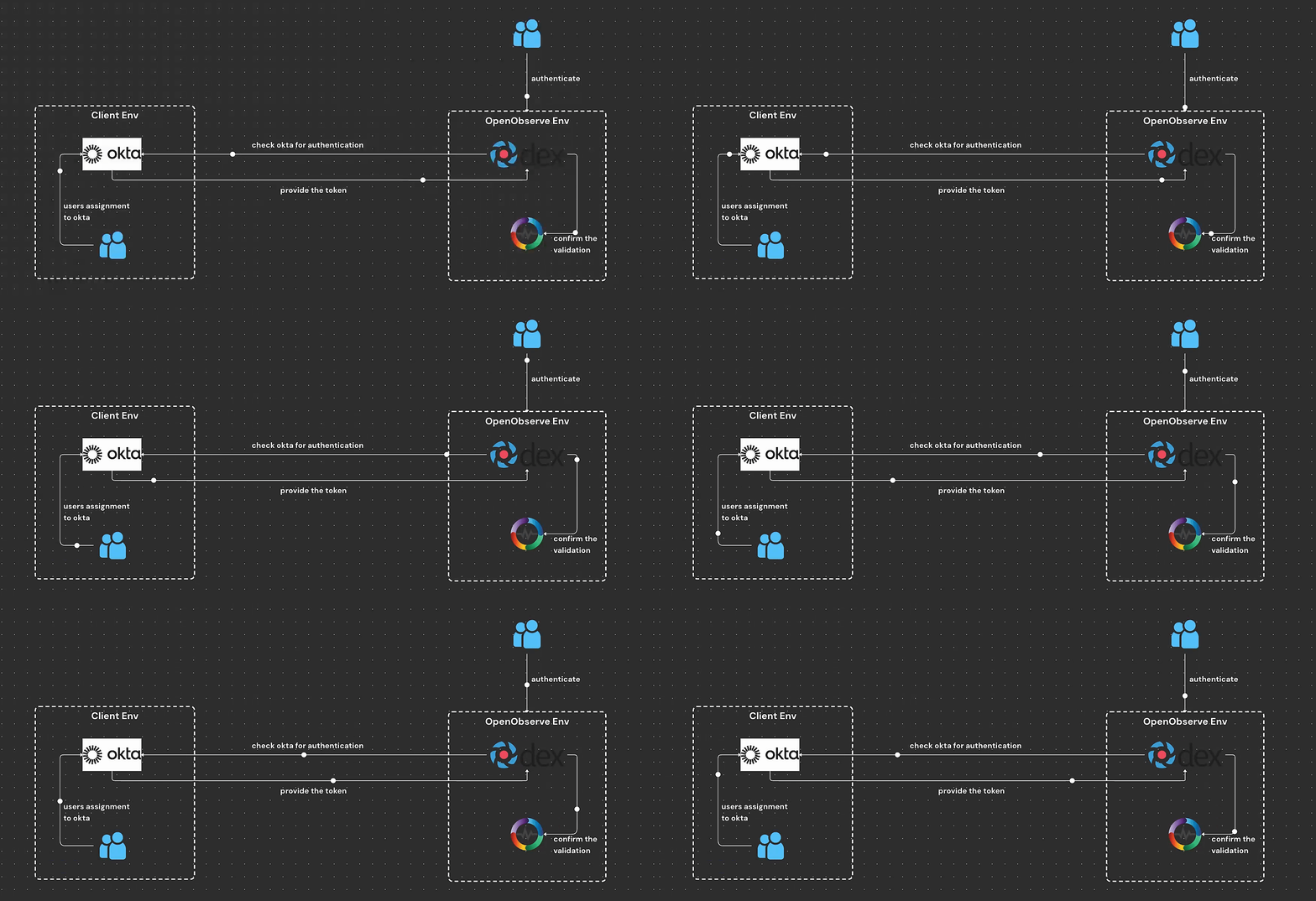
Why Use Dex for Authentication?
Dex is an identity service that provides authentication for applications via OpenID Connect (OIDC) and other identity protocols. It acts as a bridge between identity providers like Okta and applications like OpenObserve, enabling seamless Single Sign-On (SSO) integration. Dex simplifies user authentication, supports multiple identity providers, and allows organizations to enforce centralized authentication policies.
Why Choose Okta OIDC Over SAML?
While both OpenID Connect (OIDC) and Security Assertion Markup Language (SAML) are used for authentication, OIDC is often preferred over SAML for modern applications due to the following reasons:
- Simplified Implementation: OIDC is a lightweight authentication layer built on top of OAuth 2.0, making it easier to configure and integrate with web applications.
- Better Mobile and API Support: Unlike SAML, which relies on XML-based assertions, OIDC uses JSON-based tokens (JWT), making it more suitable for mobile and API-based authentication.
- Improved Security: OIDC supports more advanced security features like Proof Key for Code Exchange (PKCE), reducing risks associated with token interception.
- Enhanced Performance: Since OIDC operates over RESTful APIs, it is more performant compared to the XML-based structure of SAML, which can introduce additional overhead.
Step-by-Step Guide to Configuring Okta SSO with OpenObserve Dex
Follow these steps to configure Okta as an identity provider for OpenObserve using Dex:
1. Create an Okta Application
- Log in to your Okta Admin Console.
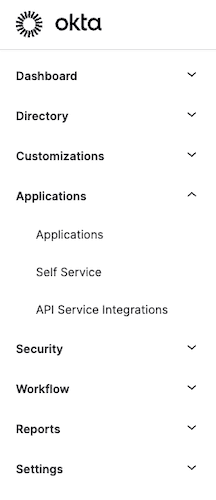
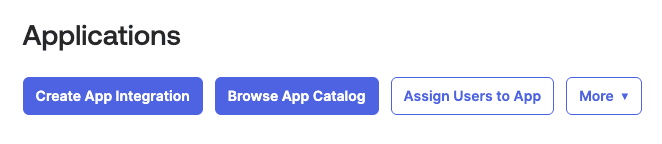
- Navigate to Applications > Create App Integration.
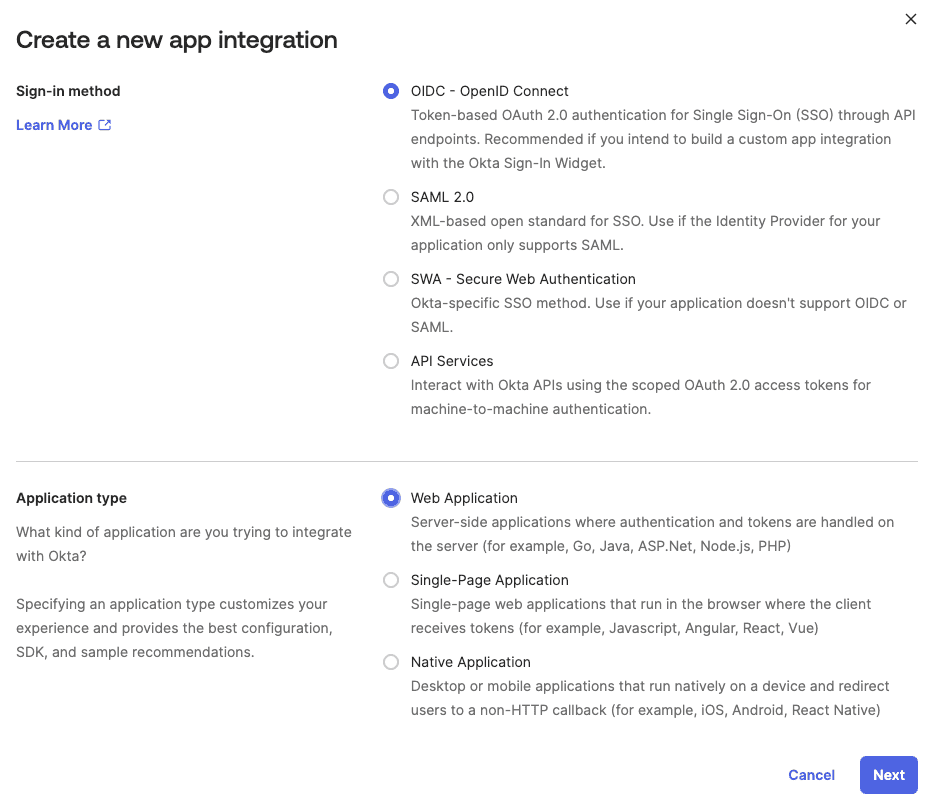
- Select OIDC - OpenID Connect and Web Application as the platform.
- Click Next and provide a name for the application.
- Set the Sign-in redirect URIs (e.g., https://domain-auth.example.com/dex/callback).
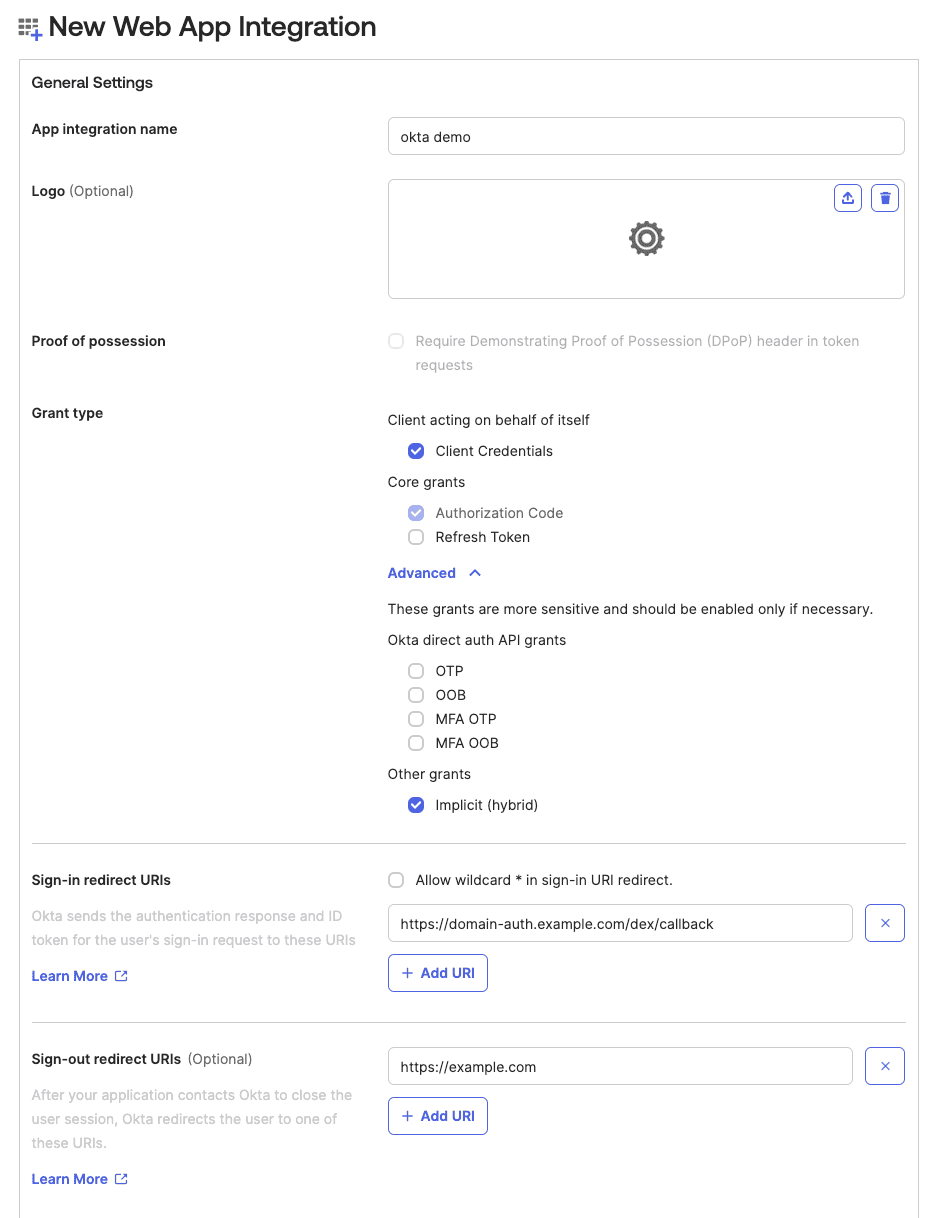
- Assign the application to appropriate users/groups.
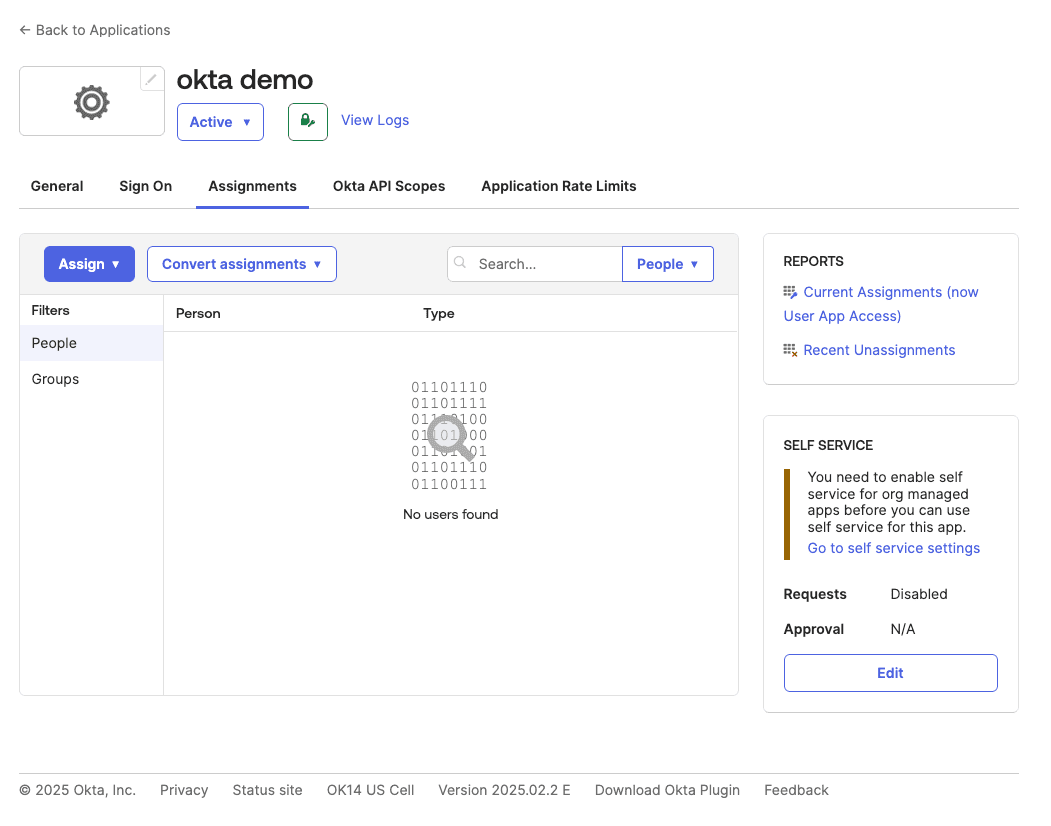
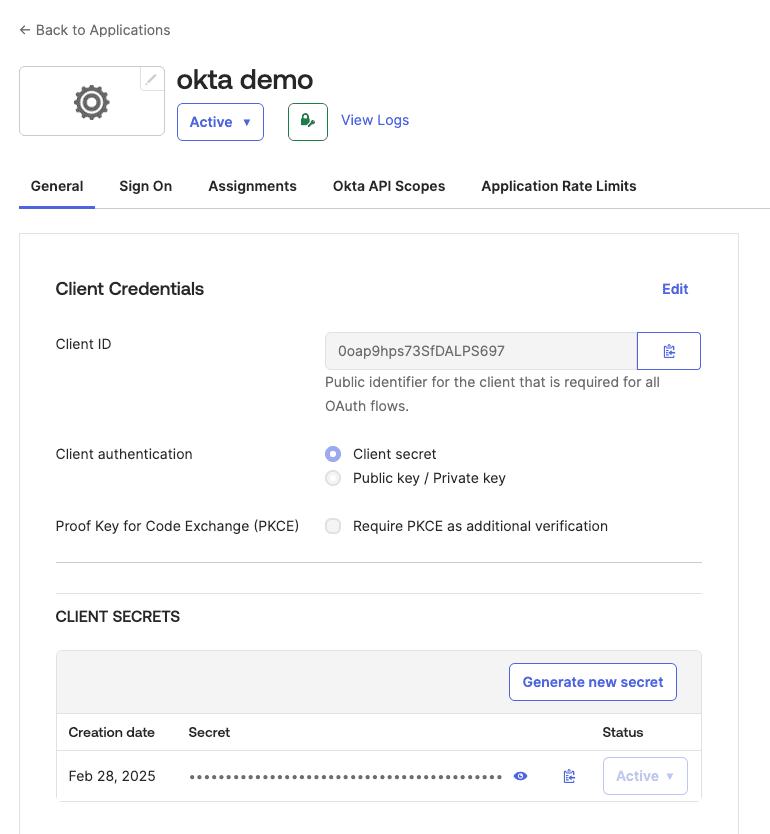
- Save the application and note the Client ID and Client Secret.
2. Configure API Permissions in Okta
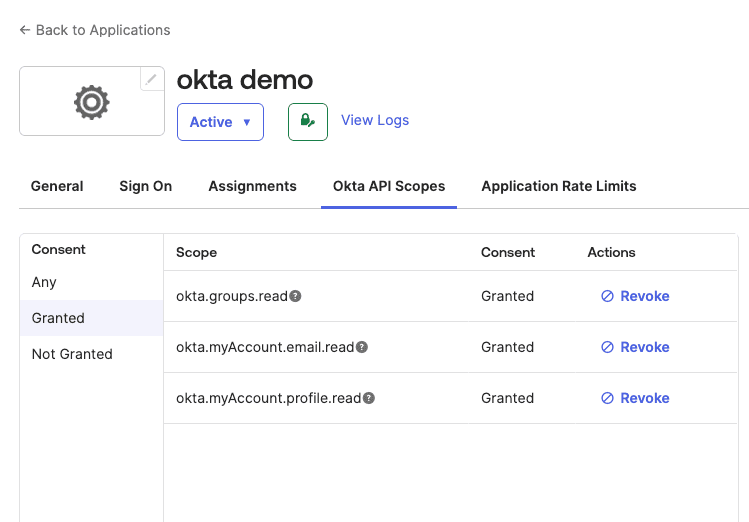
- Go to API Access Management > Scopes.
- Add the following scopes: openid, profile, email, groups.
- If you need to configure access policy under authorization server, you can follow this guide.
3. Set Up Redirect URIs
- In General Settings, set the Sign-in redirect URIs to the appropriate callback URL used by Dex (e.g., https://domain-auth.example.com/dex/callback).
- Ensure the Logout Redirect URI is also set if needed.
- Save the changes.
4. Configure Dex in OpenObserve
Copy the below snippet and make the required changes as per your Okta configuration:
  dex:
    enabled: true
    parameters:
      O2_CALLBACK_URL: https://domain.example.com/web/cb
      O2_DEX_SCOPES: openid profile email groups
      O2_DEX_GROUP_ATTRIBUTE: groups
      O2_DEX_DEFAULT_ORG: default
      O2_DEX_DEFAULT_ROLE: user
      O2_DEX_ROLE_ATTRIBUTE: role
    config:
      issuer: https://domain-auth.example.com/dex
      storage:
        type: kubernetes
        config:
          inCluster: true
      web:
        http: 0.0.0.0:5556
      expiry:
        idTokens: 10m
        refreshTokens:
          validIfNotUsedFor: 60m
      staticClients:
        - id: o2-client
          redirectURIs:
            - https://domain.example.com/config/redirect
          name: o2-client
          secret: <> # This should be base64 encoded value of client secret. Gets mapped to O2_DEX_CLIENT_SECRET
      oauth2:
        responseTypes:
          - code
        skipApprovalScreen: true
      connectors:
        - type: oauth
          id: okta
          name: Okta Authentication
          config:
            insecureSkipEmailVerified: true
            clientID: your-okta-client-id
            clientSecret: your-okta-client-secret
            redirectURI: https://domain-auth.example.com/dex/callback
            tokenURL: https://your-okta-domain/oauth2/v1/token
            authorizationURL: https://your-okta-domain/oauth2/v1/authorize
            userInfoURL: https://your-okta-domain/oauth2/v1/userinfo
            scopes:
              - openid
              - profile
              - email
              - groups
            userIDKey: sub
5. Verify SSO Login and Debug Any Issues
- Upgrade or install OpenObserve via Helm.
- Try logging in using Login with SSO.
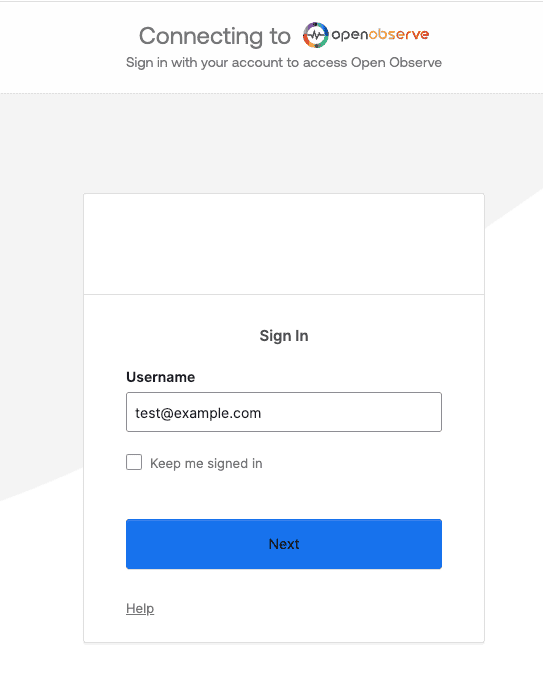
- If issues arise, check the logs for any errors and ensure Okta configurations match your Dex setup.
Next Steps
Integrating Okta with OpenObserve using Dex (OAuth configuration) provides a secure, scalable, and modern authentication solution. By leveraging OAuth, organizations can ensure seamless user authentication, improve security, and enhance performance compared to legacy authentication protocols like SAML. This setup simplifies user access management and aligns with best practices for cloud-native applications.
Happy monitoring! 🚀
About the Author
Chaitanya Sistla

Chaitanya Sistla is a Principal Solutions Architect with 17X certifications across Cloud, Data, DevOps, and Cybersecurity. Leveraging extensive startup experience and a focus on MLOps, Chaitanya excels at designing scalable, innovative solutions that drive operational excellence and business transformation.
Follow OpenObserve on Google
Add OpenObserve as a preferred source to see more of our articles in Google Search and Top Stories.